A production Node.js SaaS needs more than uptime checks. When an API, worker queue, authentication service, or database becomes unreliable, the team must detect the problem, route the alert, coordinate the response, update customers, and preserve an accurate incident timeline.
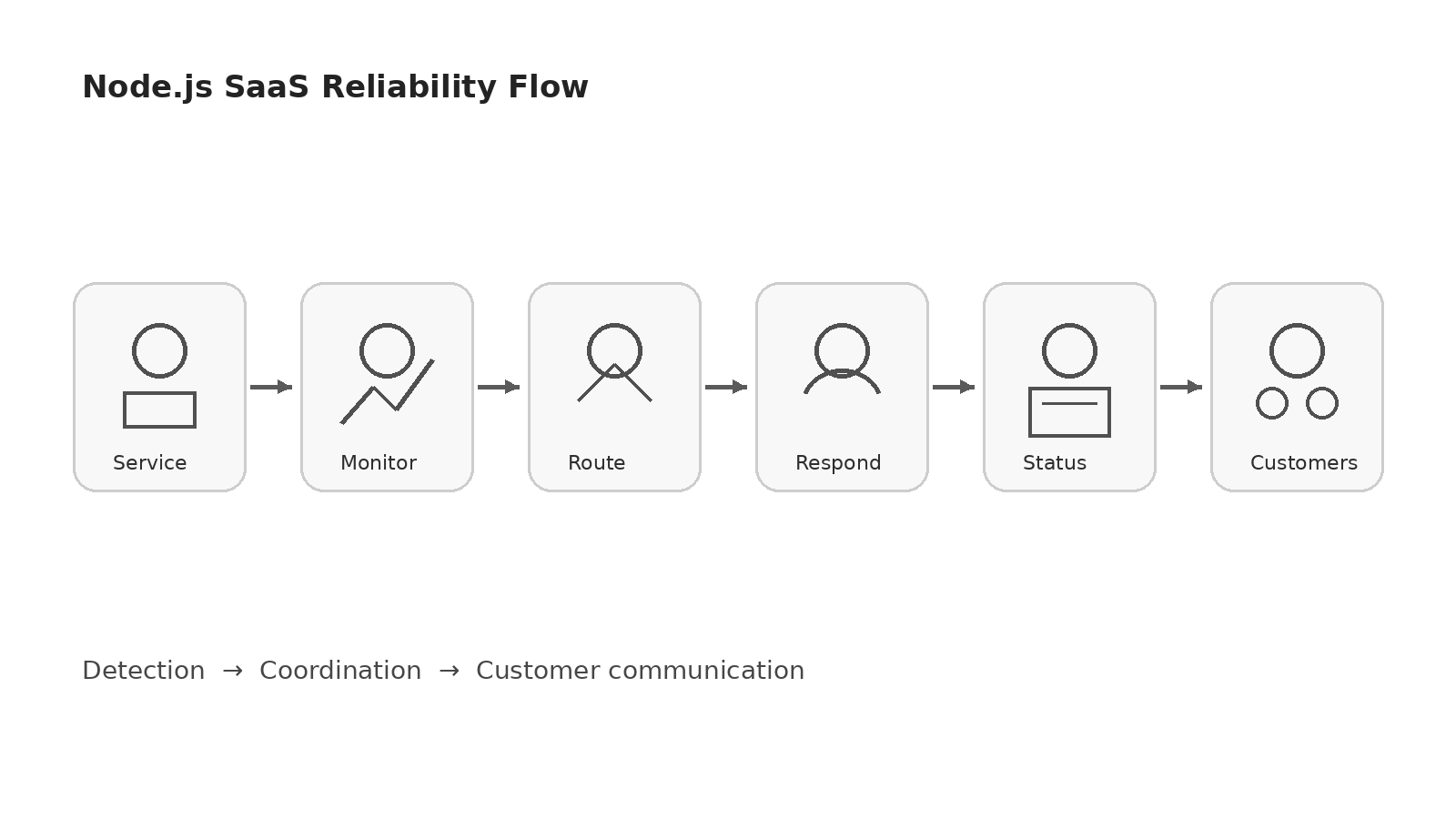
That workflow is why a status page should not be evaluated as an isolated marketing page. The best platform depends on whether your team primarily needs customer communication, integrated monitoring, on-call scheduling, or a complete incident-response operating system.
This guide compares five current options: Better Stack, Atlassian Statuspage, Instatus, incident.io, and Rootly. Pricing and packaging can change, so confirm before publishing and before purchasing.
Why Status Communication and Incident Response Belong Together
A typical Node.js SaaS incident crosses several systems:
- An uptime monitor, log alert, or error tracker detects a failure.
- An alert is routed to the engineer currently responsible.
- The team creates an incident channel and assigns roles.
- A public or private status page is updated.
- Customers receive email, SMS, webhook, or chat notifications.
- The team records remediation work and publishes a retrospective.
Buying a status page without planning the response workflow creates manual work at the worst possible time. Buying an advanced incident platform without a reliable customer communication channel creates a different problem: engineers may coordinate efficiently while customers remain uninformed.
The strongest setup connects detection, response, and communication while keeping the status page in a separate failure domain.
Evaluation Criteria for Node.js SaaS Teams
Public and Private Communication
B2C products often need one public page. B2B SaaS products may also need private pages, audience-specific components, customer-specific subscriptions, or internal pages for employees.
Monitoring and Alert Integration
A platform should accept alerts from uptime monitoring, APM, logs, error tracking, cloud services, and custom webhooks. Native integrations reduce setup effort, but a documented REST API and reliable webhooks are more important for long-term flexibility.
// Example: programmatic status update from a Node.js service
const updateStatus = async (componentId: string, status: 'operational' | 'degraded' | 'outage') => {
  await fetch(`https://api.statuspage.example.com/v1/components/${componentId}`, {
    method: 'PATCH',
    headers: {
      'Authorization': `Bearer ${process.env.STATUSPAGE_API_KEY}`,
      'Content-Type': 'application/json'
    },
    body: JSON.stringify({ status })
  });
};
On-Call and Escalation
Growing teams need schedules, escalation policies, overrides, holidays, mobile push, SMS, voice calls, and noise reduction. Check whether on-call is included or sold as an additional per-user product.
Incident Workflow
Useful workflow features include Slack or Microsoft Teams incident creation, role assignment, timelines, action items, incident templates, automated status updates, postmortems, and reporting on MTTA and MTTR.
Subscriber and Notification Economics
The base plan rarely tells the whole cost story. Subscriber limits, SMS notifications, phone calls, custom sending domains, private access, and additional status pages can materially change the bill.
Enterprise Controls
Enterprise buyers may require SAML SSO, SCIM, custom RBAC, audit logs, IP allowlisting, data retention controls, private incidents, and procurement through a cloud marketplace.
Quick Comparison
| Platform | Best Fit | Status Page Orientation | Incident Response | On-Call | Pricing Signal* |
|---|---|---|---|---|---|
| Better Stack | Small and mid-size teams wanting one integrated reliability stack | Built into monitoring and incident management | Strong integrated workflows | Included with responder licensing | Free personal tier; responder pricing and paid page add-ons |
| Atlassian Statuspage | Teams prioritizing mature public, private, or audience-specific communication | Status-page-first | Relies more heavily on integrations and adjacent tools | Not the core product | Free public tier; paid public plans from Hobby through Enterprise |
| Instatus | Teams wanting a fast, lower-complexity combination of monitoring, on-call, and status pages | Status-first with monitoring | Practical integrated response features | Included by plan | Free Starter; paid plan prices should be confirmed |
| incident.io | Engineering teams coordinating incidents primarily in Slack or Teams | Included inside a broader incident platform | Excellent workflow-first model | Available as add-on or standalone | Basic free; Team and Pro per-user pricing |
| Rootly | Growing SRE and enterprise teams needing structured response, on-call, and retrospectives | Included in incident-response plans | Deep workflows, analytics, and enterprise controls | Separate or bundled product | Essentials per-user pricing; enterprise quote |
*Pricing pages were reviewed on July 11, 2026. Confirm before publishing because vendors can change plans, limits, discounts, and regional taxes.
Better Stack: Best Integrated Option for Lean SaaS Teams
Better Stack combines uptime monitoring, heartbeats, on-call, incident management, status pages, logs, traces, metrics, error tracking, and session replay. That breadth makes it attractive to a small Node.js team that prefers one vendor for detection, response, and communication.
Its pricing page currently lists a free personal tier with ten monitors and heartbeats plus one status page. A responder license is shown at $34 monthly or $29 with annual billing, and one status page is included. Additional public pages and enterprise-style options such as SSO, IP allowlisting, white-labeling, and custom sending domains are priced separately. Confirm before publishing.
Choose Better Stack When
- You want monitoring, on-call, status communication, and telemetry in one service.
- Your team is small enough that consolidation reduces operational overhead.
- You value automatic status updates from the same system that detects failures.
- You want a practical path from free monitoring to a broader reliability stack.
Watch For
The add-on model matters. Extra pages, large subscriber lists, white-labeling, SSO, and advanced access controls can cost substantially more than the entry plan. Calculate the expected configuration rather than comparing only the free tier.
Atlassian Statuspage: Best Dedicated Customer Communication Product
Atlassian Statuspage is the most status-page-focused option in this comparison. It supports public pages, private pages, and audience-specific pages, which can be valuable for a B2B SaaS with customer groups, regions, products, or contractual communication requirements.
The official public-page pricing currently includes a Free plan with 100 subscribers and 25 components. Hobby is listed at $29 per month, Startup at $99, Business at $399, and Enterprise at $1,499. Higher plans add larger subscriber and team limits, SMS and webhook notifications, deeper customization, RBAC, and enterprise procurement features. Confirm before publishing.
Choose Statuspage When
- External incident communication is more important than replacing your monitoring stack.
- You need a recognized, mature public status page with clear subscriber limits.
- You expect private or audience-specific communication requirements.
- Your team already uses separate monitoring, paging, and collaboration tools.
Watch For
Statuspage is not intended to replace a full incident operations platform. A mature deployment usually connects it to monitoring, PagerDuty-like on-call tooling, Jira, Slack, or custom automation. The total stack cost may therefore be higher than the status page subscription alone.
Instatus: Best Status-First Option for Fast Setup
Instatus positions itself as a combination of monitoring, incident response, on-call, and status pages. Its current pricing page shows a free Starter plan with 15 monitors, two-minute checks, email alerts, five team members, two on-call members, a public page, and 200 subscribers.
The same page lists Pro and Business tiers with faster checks, more monitors, additional alert channels, more on-call members, custom domains, and larger subscriber limits. The extracted page does not expose reliable numeric prices for those paid tiers, so confirm before publishing.
Choose Instatus When
- You need a hosted status page quickly without assembling several services.
- A free plan is useful during an early product stage.
- You want monitoring and basic on-call features close to the communication layer.
- You prefer predictable limits based on monitors, responders, domains, and subscribers.
Watch For
Evaluate whether the incident workflow is deep enough for your future team. A status-first product can be sufficient for a small SaaS, but a larger organization may later need more advanced command roles, incident types, policy controls, analytics, and post-incident processes.
incident.io: Best Slack- or Teams-Native Incident Workflow
incident.io is designed around incident coordination. It creates a structured workflow inside Slack or Microsoft Teams, with on-call, automation, status pages, incident timelines, postmortems, and analytics.
The official pricing page currently shows a free Basic plan with a single-team on-call setup, one status page, and essential automation. Team is shown at $19 per user per month, with $15 displayed under the annual discount, while on-call is an additional $10 per user per month. Pro is listed at $25 per user per month, with on-call at an additional $20. A standalone on-call option is shown at $20 per user per month. Confirm before publishing.
Choose incident.io When
- Your engineers already coordinate operational work in Slack or Teams.
- You want repeatable incident creation, roles, workflows, and postmortems.
- Customer communication should be part of the same incident record.
- You need a clear path from free incident management to advanced analytics and enterprise controls.
Watch For
Per-user pricing can grow quickly when incident response and on-call are purchased together. Define which employees need full responder access, which need on-call, and which only need visibility.
Rootly: Best for Structured SRE and Enterprise Incident Operations
Rootly combines incident response, on-call, retrospectives, status pages, workflow automation, analytics, and enterprise governance. Its positioning is strongest for teams that want incident management to become a formal engineering discipline rather than a lightweight alert-and-update process.
Rootly currently lists Incident Response Essentials at $20 per user per month. The package includes Slack response, AI-assisted incident features, retrospectives, a status page, mobile apps, analytics, and SSO/SAML. On-Call Essentials is also listed at $20 per user per month. Enterprise pricing is custom and adds controls such as private incidents, audit logs, advanced workflows, SCIM, expanded status pages, and custom retention. Confirm before publishing.
Choose Rootly When
- You need incident command structure, retrospectives, analytics, and formal workflows.
- On-call health, schedule management, and escalation design are strategic concerns.
- Enterprise security, auditability, and customization matter.
- You expect to integrate alerts from many observability and infrastructure systems.
Watch For
Rootly may be more platform than an early-stage startup needs. Small teams should compare the time saved by workflow automation against per-user licensing and the cost of operating separate monitoring tools.
Cost Factors Beyond the Advertised Plan
Responder Seats
Incident management products frequently charge per user. A ten-person engineering team can therefore cost much more than a single hosted status page, even before on-call add-ons.
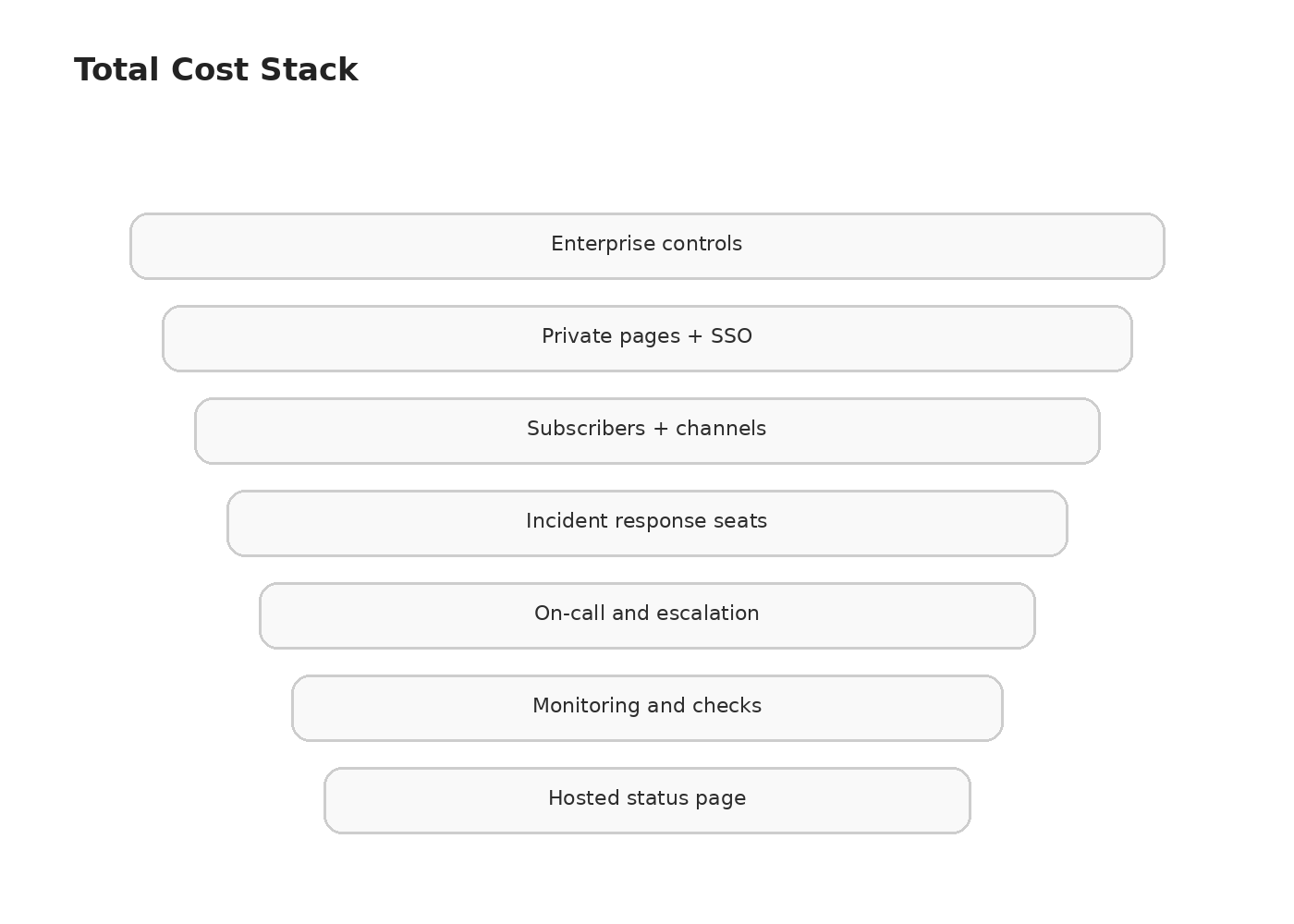
Subscribers and Notification Channels
Public email subscribers may be included up to a limit. SMS, voice, webhooks, custom sending domains, and large subscriber lists may require higher plans or add-ons.
Public, Private, and Audience-Specific Pages
One public page is often inexpensive. Multiple products, regions, internal pages, private customer pages, or audience segmentation can move the account into a higher tier.
Monitoring Checks and Telemetry
All-in-one vendors may charge for monitor count, check frequency, log ingestion, trace volume, metrics, or retention. This can still be cost-effective, but it must be compared with the observability tools you would otherwise buy.
Enterprise Identity and Governance
SSO, SCIM, custom RBAC, audit logs, data residency, IP allowlisting, custom retention, and procurement support are common enterprise cost multipliers.
Recommended Node.js Integration Architecture
Keep the Communication Channel Independent
Do not host the status page inside the same Node.js application, Kubernetes cluster, cloud account, DNS provider, or authentication dependency that it reports on. A status page that fails during the primary outage provides little value.
Use One Incident Identifier Across Systems
Generate or capture a stable incident ID and pass it through monitoring alerts, Slack or Teams channels, ticketing systems, status updates, and postmortems. This makes automation and later analysis easier.
// Generate a stable incident ID that flows across systems
import crypto from 'node:crypto';

const createIncident = (alertSource: string, severity: 'P1' | 'P2' | 'P3', summary: string) => {
  const incidentId = crypto.randomUUID();
  const incident = {
    id: incidentId,
    source: alertSource,
    severity,
    summary,
    createdAt: new Date().toISOString(),
    status: 'open' as const
  };
  // Pass incident.id to Slack channel name, status page update, ticket, and postmortem
  return incident;
};
Automate Carefully
A useful pattern is:
- Monitoring detects a sustained failure.
- An alert creates an incident in the response platform.
- A human confirms impact and severity.
- Automation creates a draft status update.
- An incident commander approves the public message.
- Recovery signals trigger a proposed resolution update.
- The final incident record links to the retrospective.
Fully automatic public updates can create false alarms. Human approval is usually appropriate for customer-facing communication, especially when the impact is uncertain.
Protect Sensitive Information
Never publish stack traces, internal hostnames, customer identifiers, database names, security details, or unverified root causes. Public messages should describe customer impact, affected components, mitigation progress, and the next update time.
Test the Workflow
Run scheduled incident drills. Confirm that mobile alerts arrive, the status page remains reachable, templates are current, API tokens work, substitute responders can take over, and customer notifications contain accurate links.
// Smoke test: verify status page is reachable from a separate network
import https from 'node:https';

const checkStatusPage = (hostname: string): Promise<boolean> => {
  return new Promise((resolve) => {
    const req = https.get(`https://${hostname}`, { timeout: 10000 }, (res) => {
      resolve(res.statusCode === 200);
    });
    req.on('error', () => resolve(false));
    req.on('timeout', () => { req.destroy(); resolve(false); });
  });
};
Selection Guide
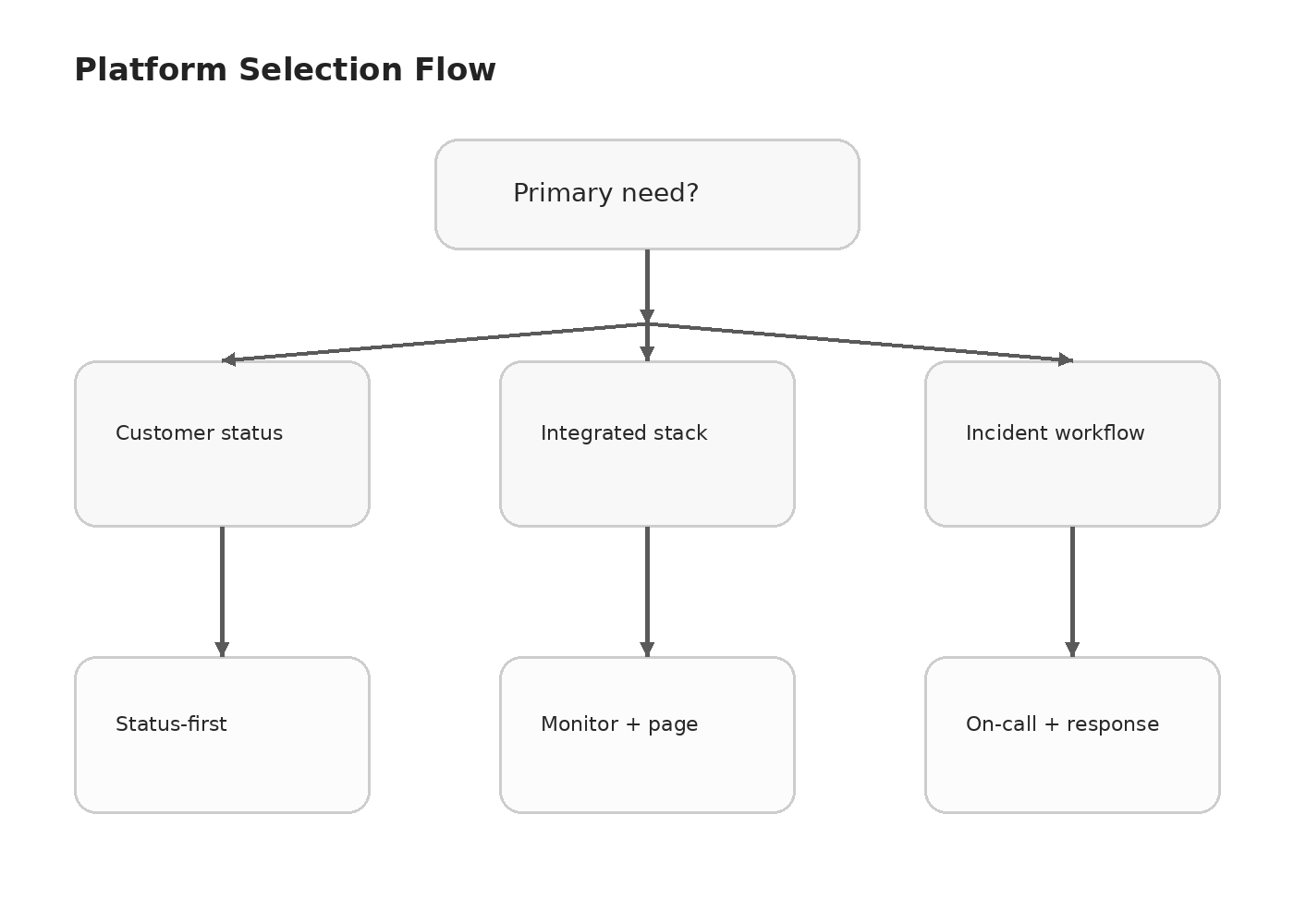
Choose a Status-Page-First Product
Select Atlassian Statuspage or Instatus when customer communication is the main requirement and your monitoring and paging tools already work well.
Choose an Integrated Reliability Stack
Select Better Stack when a lean team wants monitoring, on-call, status pages, and telemetry from one vendor with less integration work.
Choose an Incident-Response-First Platform
Select incident.io when Slack or Teams workflows, automation, and rapid adoption are priorities. Select Rootly when your organization needs deeper process control, enterprise governance, on-call maturity, and structured retrospectives.
Start Small, but Preserve Migration Paths
An early-stage SaaS can begin with a hosted status page, a few monitors, a clear escalation owner, and simple templates. Ensure the platform exposes APIs, webhooks, subscriber export, incident history export, and custom domains so that future migration is manageable.
Conclusion
For most lean Node.js SaaS teams, Better Stack offers the simplest integrated route from monitoring to on-call and customer communication. Atlassian Statuspage remains a strong choice when the status page itself is the primary product requirement. Instatus is attractive for fast, status-first deployment with a usable free tier. incident.io and Rootly are better suited to teams that want incident response to become a structured engineering workflow.
The correct purchase is not the product with the longest feature list. It is the platform that matches your incident maturity, customer communication obligations, team size, existing monitoring stack, and realistic total cost.
Sources:
- Better Stack pricing: https://betterstack.com/pricing
- Atlassian Statuspage pricing: https://www.atlassian.com/software/statuspage/pricing
- Instatus pricing: https://instatus.com/pricing
- incident.io pricing: https://incident.io/pricing
- Rootly pricing: https://rootly.com/pricing